
Get Top-Quality CWBD Tech Computer Services
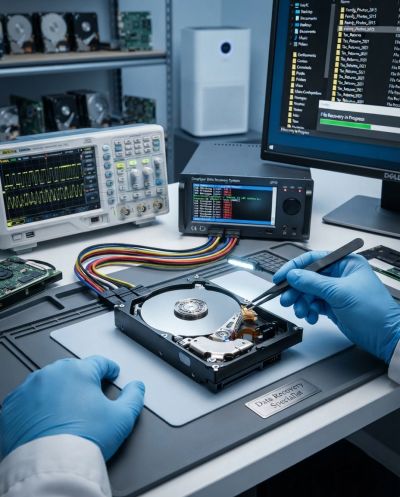
Data Recovery
The Digital Lifeline: Why Professional Data Recovery Matters When Disaster Strikes
Few moments in the digital world cause a sinking feeling quite like losing critical files. Whether it is decades of irreplaceable family photos, vital tax documents, financial records, or months of hard work on a crucial project, data loss feels catastrophic.
When a hard drive fails, a partition gets accidentally formatted, or a solid-state drive stops responding, your first instinct might be panic. But in many cases, data loss doesn't have to be permanent—provided you handle the situation correctly.
Common Culprits Behind Data Loss
Understanding how data loss happens is the first step in protecting your digital life. The most frequent causes include:
- Mechanical and Hardware Failure: Traditional Hard Disk Drives (HDDs) have moving parts that wear down over time. A sudden drop, power surge, or component failure can lead to clicking sounds and a dead drive.
- Accidental Deletion or Formatting: A stray click, an accidental format of the wrong drive, or emptying the recycle bin before realizing a file was still needed can instantly wipe out important data.
- File System Corruption: Software glitches, unexpected power cuts during updates, or malware infections can corrupt the file structure, making your data inaccessible even if the physical hardware is intact.
- Solid-State Drive (SSD) Failure: While SSDs have no moving parts, they can still experience controller failure, firmware corruption, or sudden electrical failure.
Why DIY Recovery Tools Can Make Things Worse
When faced with data loss, it is tempting to download the first free recovery software you find online and run it against the damaged drive. However, in serious cases—especially physical hardware failure or severe corruption—this "DIY" approach can permanently destroy your chances of recovery.
Writing new data to a failing drive, running aggressive scan algorithms on damaged sectors, or attempting physical repairs without a cleanroom environment can overwrite the exact data you are trying to save.
The Professional Data Recovery Process
Entrusting your lost files to a professional ensures that recovery is handled with precision and care. A proper data recovery workflow involves:
- Diagnostic Evaluation: Assessing the exact nature of the failure—whether it is logical (corrupted files, deleted partitions) or physical (mechanical damage, bad heads).
- Creating a Sector-by-Sector Clone: Before attempting any actual recovery work, technicians create a raw image or clone of the healthy sectors on the drive. This ensures that the original media is protected from further degradation.
- Advanced Logical Reconstruction: Repairing damaged file tables, recovering raw data signatures, and safely extracting your photos, documents, and databases.
- Secure Transfer: Delivering your recovered files back to you on a brand-new, stable storage medium so you can resume your work with confidence.
Protect Your Memories and Your Business
While professional data recovery can pull valuable files back from the brink, the best defense against data loss is always a solid backup strategy. But if disaster has already struck, don't guess—get expert help to secure your digital life.