
REMOTE SUPPORT
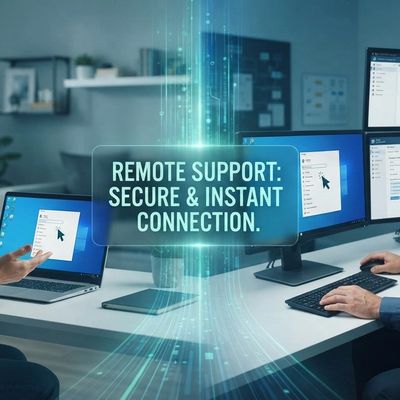
Remote Support
The Digital Lifeline: How Remote Support Keeps Your Technology Running Smoothly
In our modern, digitally driven world, technology is the backbone of both our personal and professional lives. When a computer crashes, a network fails, or software malfunctions, it can bring everything to a screeching halt. The traditional model of waiting for an IT technician to arrive on-site—or, worse, disconnecting your entire setup and taking it to a repair shop—is often too slow and disruptive.
Enter Remote Support, the modern lifeline for troubleshooting and resolving technical issues quickly and efficiently.
What is Remote Support?
Remote support is a technology that allows an IT professional or support specialist to access, diagnose, and repair a computer or network from a distant location over the internet.
Through secure, encrypted connection software, the technician can view your screen, control your mouse and keyboard, access system files, and run diagnostic tools as if they were sitting right in front of your machine. You can watch the entire process unfold on your monitor in real-time, maintaining full visibility and control.
The Remarkable Benefits of Going Remote
The shift from on-site to remote support has revolutionized the IT industry, offering unparalleled advantages for users and businesses alike.
- Blazing-Fast Response Times: The most significant benefit is speed. There is no travel time involved. A support session can begin within minutes of your initial call or ticket submission, drastically reducing system downtime.
- Unmatched Convenience: You don't need to disconnect cables, pack up your tower, or rearrange your schedule to accommodate a technician's visit. Remote support can be performed from the comfort of your home, the efficiency of your office, or even while you are traveling.
- Increased Efficiency and First-Call Resolution: Because technicians have immediate access to diagnostic tools and can easily collaborate with other specialists, many issues are resolved in a single session.
- Cost-Effectiveness: Without the overhead of travel expenses, on-site labor fees, or equipment transport, remote support is generally a more affordable option for both one-off fixes and ongoing IT management.
- Enhanced Security: Modern remote support tools use industry-standard encryption (like AES 256-bit) and secure authentication methods. Furthermore, the session is initiated by you, and you can terminate the connection at any time, ensuring you remain in control of your privacy.
When Can Remote Support Be Used?
Remote support is ideal for a wide array of software and network-related issues, including:
- Virus and Malware Removal: Safely scanning for and eliminating infections without risking data loss.
- Software Installation and Updates: Configuring new applications, managing operating system updates, and ensuring software is current.
- Troubleshooting Error Messages: Diagnosing the cause of crashes, freezes, and application errors.
- Email and Application Configuration: Setting up email clients, fixing connectivity issues, and resolving account conflicts.
- Performance Optimization: Cleaning up temporary files, managing startup items, and speeding up a sluggish computer.
- Network and Printer Issues: Resolving connectivity problems, setting up Wi-Fi, and troubleshooting printer drivers.
Note: Remote support is generally not suitable for physical hardware failures, such as a dead hard drive, a broken screen, or a power supply issue. These still require hands-on physical repair.
A Seamless Digital Partnership
Remote support empowers you by turning technical frustration into a collaborative solution. Instead of feeling helpless when technology fails, you gain a partner who can see exactly what you see and guide you to a resolution.
The next time your computer gives you the blue screen of fear, remember that help is just a click away. Embrace the power of remote support to keep your digital life running smoothly, securely, and without interruption.